Data protection, Kubernetes, cybersecurity and AI. Hands-on guides from the trenches: Veeam, Kasten, VMware, Oracle, cloud, and whatever I’m breaking in the homelab this week.
Table of ContentsTable of Contents
Over the past week I have been getting questions about errors that show up in Veeam log files when integrating with Oracle, whether through Veeam’s native Oracle integration on VMware or the Veeam Plugin for Oracle RMAN. In this post we will walk through a common error that is easy to fix.
Error has occurred while executing SSH command: boost::filesystem::status: Permission denied: "/grid/app/grid/product/12.2.0.1/oraInst.loc"Error has occurred while executing SSH command: boost::filesystem::status: Permission denied: "/oracle/oraInventory/ContentsXML/inventory.xml"```bash
This error appears in Veeam Backup & Replication or the Veeam Plugin for Oracle RMAN when it tries to detect the Oracle Database instances running on the server. As we can see, the Veeam solutions do not have access to the files.
We will also see that the account Veeam uses for consistency can read the oraInst.loc and inventory.xml files directly from the operating system command line.
But when the same operation runs from the Veeam solutions, either the plugin or VBR, it still fails to detect the instances and the error shows up again in the log files.
To fix this, we need to validate the permission requirements for Veeam Backup & Replication or the Veeam Plugin for Oracle, whichever applies to your case:
VBR (scroll down to the Oracle-specific permissions):
[https://helpcenter.veeam.com/docs/backup/vsphere/required\_permissions.html?ver=100](https://helpcenter.veeam.com/docs/backup/vsphere/required_permissions.html?ver=100)Veeam Plugin:
[https://helpcenter.veeam.com/docs/backup/plugins/rman\_plugin\_permissions.html?ver=100](https://helpcenter.veeam.com/docs/backup/plugins/rman_plugin_permissions.html?ver=100)If the Veeam service account (which must be able to elevate to root) does not have the required permissions, you will need to add it to the required groups, for example:
```text
usermod -a -G oinstall,dba,grid usuarioveeam
```sql
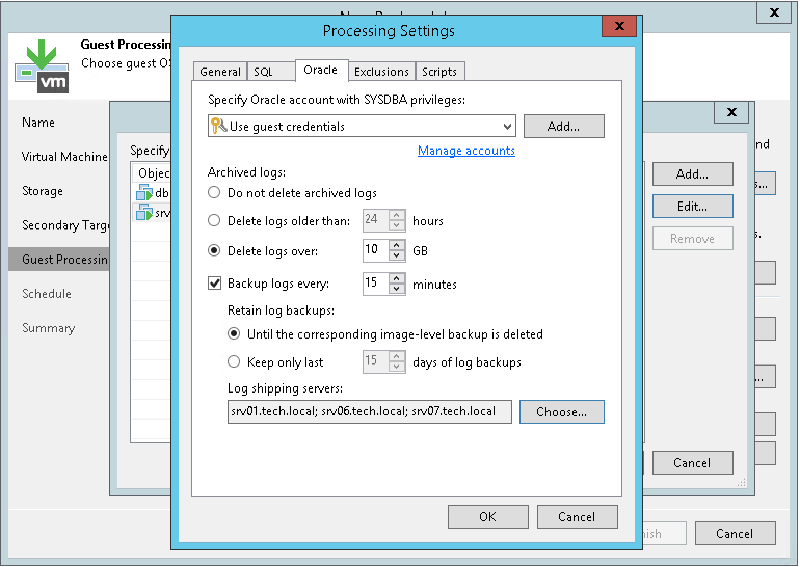
And of course, as the documentation also states, the account used for Oracle authentication must have SYSDBA privileges:
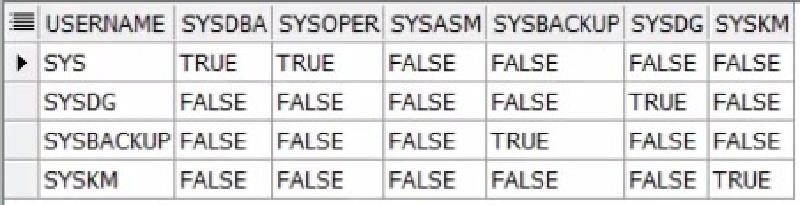
How do you check whether the account you were given has SYSDBA privileges? You can validate it with the following SQL script:
```python
select username,sysdba,sysoper,sysasm,sysbackup,sysdg,syskm from v$pwfile_users;
```bash
You then need to confirm that the account appears in the following command output:
Otherwise, ask the DBA to add the account to the SYSDBA role.
## Oracle permissionsIf the instances still cannot be detected, the fix is to recreate the permissions on the folders where Oracle is installed, since for some reason they were changed.
For this step you will need the help or authorization of the DBA to recreate the permissions automatically with a root.sh installation script, or to run the following directly against the Oracle paths:
```bash
chown -R grid:oinstall /u01
chown -R oracle:oinstall /u01/app/oracle
chmod -R 775 /u01/
Here /u01 is the folder where the Oracle software was installed and -R means recursive. That will get the detection and backup of your Oracle databases working again if you run into folder and/or file permission problems.